

Digital Photo Prints: Archival Photographic and Fine Art
Giclee Printing
Oil pigment prints on museum grade exhibition papers, cotton rag vellums
& canvas
Individually
printed by David Myers a UK Fine Arts Trade Guild certified master printer
Archival Quality Certificates supplied
with every fine art cotton rag, textured vellum print
Free
optional image optimisation services with online
proofs to guarantee stunning prints
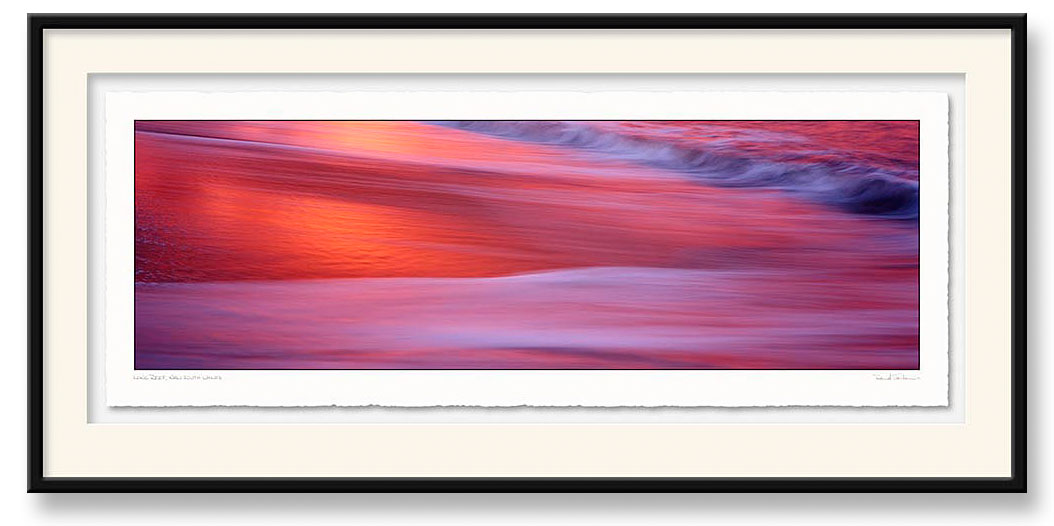
The EPSON International Pano Awards
David
Jenkin's 'Long Reef Sunset' received a Silver Award and was ranked
14th in the World.
Shot
on 6x17cm film, scanned at ultra high resolution, oil pigment 24"
x 60" archival cotton rag print, deckle edge 'ripped',
raised mounted in a 'shadow mat' box frame. Photo
by David Jenkins of Nomad
Photo. Click image to enlarge.
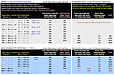 Archival
Printing
Archival
Printing
Full Price List PDF
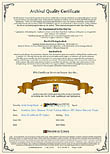
Archival
Certificate
with
selected media
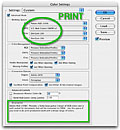
Using Adobe RGB Professional Print
Colour Settings
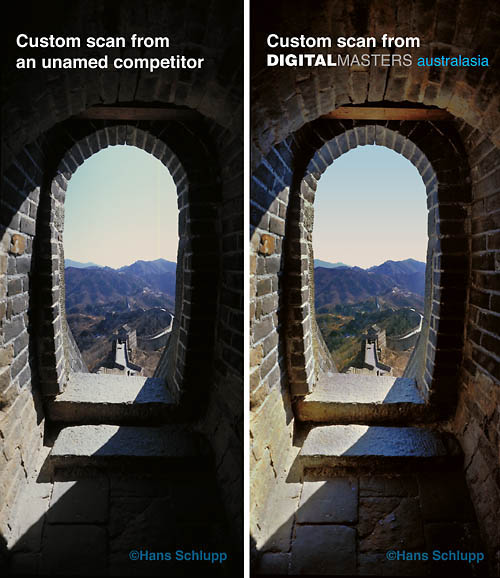
The 48bit Difference
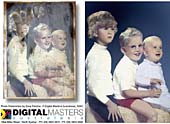
Photo Restorations
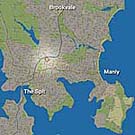
Contact Details
with location maps
About Giclee Printing...
Giclee Fine Art Print Systems: 'Giclee' pronouced 'jeeclay' simply translated means a 'spurt' of paint or ink. 'Giclee Printing' was the original service name for the first, extremely expensive, digital 'Limited Edition' prints made on fine art rag papers using huge 'Iris' brand inkjet printers in the early 1990s. Today we use systems that print on a huge range of fine art, acid free cotton rag, fibre papers, films and canvases with far more detail, full colour saturation, photographic tonality and archival permanence...
Exhibition Quality Archival Photographic Prints: Our 2,800dpi Epson K3 UltraChrome archival pigment printers produce class leading finely detailed ‘Exhibition’ and ‘Museum Quality’ photographic prints with a fade resistance of up to 100+ years! We can print on cotton rag art papers, archival matte, pearl lustre and premium gloss photographic papers as well as 'CibaChrome' style mirror gloss pearl white film.
Cotton
Rag Fine Art Prints: Cotton Rag prints used to be reserved
for limited edition reproductions of watercolours as the limited black
density, tonal range and saturation was not suitable for photographic
subjects or representations of richly coloured oil and acrylic art.
This changed with the development of rag papers with invisible ink
receptor coatings that stopped the pigments soaking into the paper
base and losing density. We now use the finest cotton rag media available:
Breathing Color Elegance Velvet Platinum data
sheet this 310gsm lighty textured 100% cotton media has tested
superior to similar products from Hahnemuhle and Somerset etc. See
Test Report. We are now authorised to supply a hand named and
signed 'Fine Arts Trade Guild' Archival
Certificate with each print.
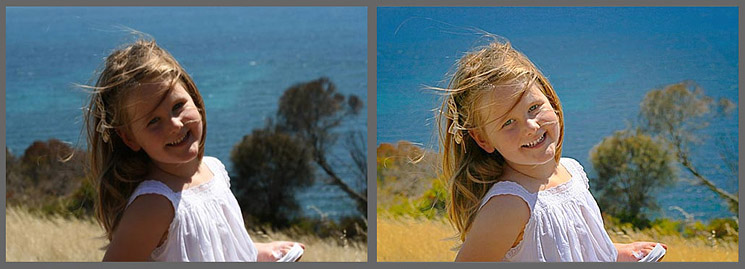
Years of digital imaging experience means we can quickly 'optimise' every image...
Optional Free Image Optimisation: We have very expensive pre-press monitors on accurately calibrated Mac and Windows systems. When we open your file we ‘Soft Proof’ the image onscreen to show almost exactly how it will print. In a few minutes we can ‘optimise’ the contrast and density, remove any colour casts, fix up dark areas - even add a little density and saturation to washed out areas. Our clients rely on our skills and discretion to make their prints look the best. If major fix-ups are needed we will eMail a low resolution proof for approval. All optimised files can be supplied as ‘Digital Master Files’ on DVDs.
Professional
retouching and photo restoration services...
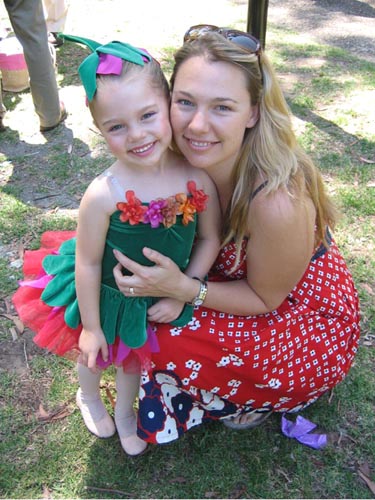
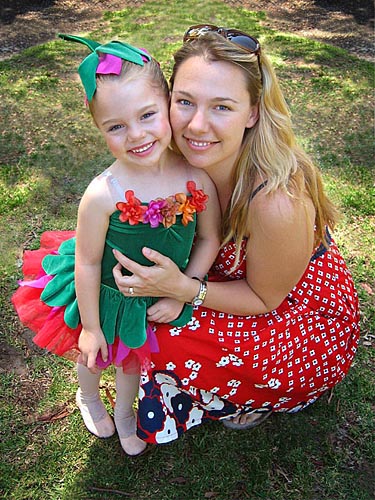
We
can also quote on retouching your images
to make mere snapshots into art! View
our 'Fixed
Images' page
Image File Retouching and Manipulation: We always keep an unretouched version of each file. All retouching is achived with hand masking and adjustment layers so that evert stage is 'undoable' of can be lessened or modified. We can replace or blur bad backgrounds, change colours, superimpose, remove double chins, wrinkles and age spots, whiten teeth and add a sparkle to the eyes etc. All work is quoted and is proofed and approved on-line.

Print
border treatments for traditional and contemporary display options...
Borderless Photo Prints: We can print your images right up to the edge but to avoid losing details at the very edge due to 'overprinting' by the printer we suggest that you order minimal borders below and let your framer trim them down after mounting. This way the image adges won't get damaged during handling.
Minimal Photo Print Borders: We recommend a traditional thin white border (3-5mm) so that the entire image is displayed without cropping. We produce bordered photographic prints by default.
Wide Art Borders: Watercolour art often works well with a wide border so that the image does not look ‘cramped’ in the frame or the matte overlay. The size of this border is an aesthetic decision made by you - the artist. It should, however, be the same colour and texture as the background paper in the image. If the original art has little or no border we can use retouching to extend the background as a seamless border so you don’t get an ugly white area around the image. We quote on adding wide borders to watercolour images as it may involve retouching work.
Print
Price List for Photo Papers, Cotton Rag
Vellums and Canvases...
International
'A' Size and 'Photo Film Format' based pricing: We cover
all international sizes from A6 to AO and larger. Our Full
Price List includes standard photographic formats such as 35mm
ratio, 6x6cm square, 6x17cm panoramic etc. We can send 'Approval Proofs'
with a reduced image and a section of the image at 100%. Our maximum
'print run' size is 44" x 90" on Archival canvas and papers
and 24" x 90" on Cotton Rag media. To reduce large
project costs we can 'gang up' images. print in bulk, costed at $x.xx
per linear inch and supply rolled or trimmed. Please eMail
David Myers for a quote. Send us your large images via our
File
Transfer Page
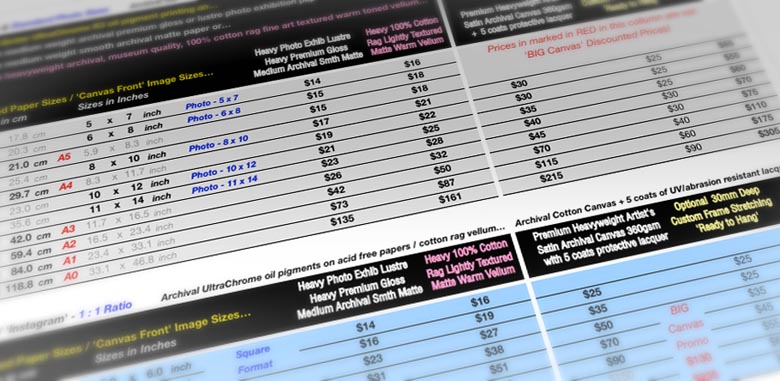
Please see our Full Price List
Also see our 'BIG Canvas' promotion...
Oil
Pigment Prints on Canvas: We use Premier water resistant
artist's cotton canvas. It has a strong, traditional texture but is
still smooth enough toreproduce finely detailed images. The medium
gloss white coating combined with our colour management procedures
provides high saturation with good colour accuracy. The ideal application
is for accurate reproductions of oil and acrylic art but we can print
photographic images with a range of border and framing options for
home and commercial 'decor'. More
Information

Canvases include 'Image Wrapping' or 'Classic Gallery' borders.
See 'BIG Canvas' promo. Info

Is your monitor calibrated for accurately viewing images?
You should see dark grey squares in the top
'black' bar. Quick
Calibration

..Simply
click on the big red
+ for file transfer information!
.. Visit
our Digital Masters'  pages
for the latest news!
pages
for the latest news!
By
Appointment: 14
Kitchener Street
• Balgowlah
• Sydney
NSW
2093 •
All
Enquiries via eMail
Home
•
Contact
Us
•
david@digitalmasters.com.au
Site design, imaging and creation by David Myers of DIGITALMASTERS australasia Online since 1994